Third-party example
TREND-INSPIRED
Hotel Lobby AI video template
Orange room. One mic. Shared energy. Bring your people and music. Choose your performance.
Muted by default
Third-party example
Orange booth duet · External reference
Hotel Lobby AI ↗What to look for
The hand-off is the central action. Keep both performers in one physical space, then alternate who owns the foreground. A stable microphone and a matte orange background make the setup recognizable without a crowded set.
SEE IT IN MOTION
See the look. Find your version.
Play real moving references, with their original content and source credits.
Third-party example
Two-photo tutorial example
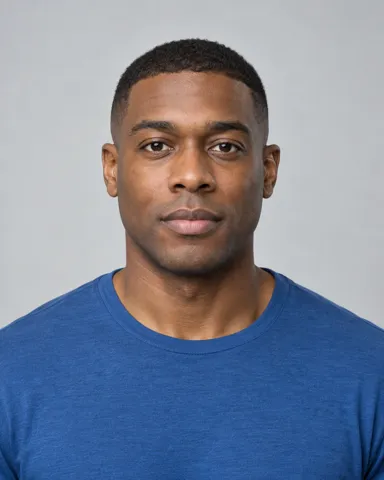
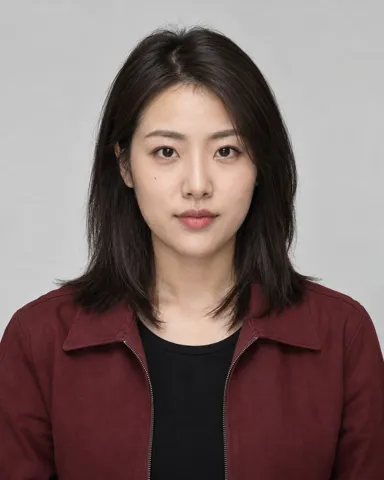
Two photos. One shared performance.
These public photos correspond to the Hotel Lobby AI (.app) example above. Try them in the form; this demo does not generate or swap faces.
Hotel Lobby AI (.app) ↗THREE SIMPLE STEPS
Turn a reference into your creative brief
- 01
Choose a performance
Compare three variations. Choose the roles and movement that fit your track.
- 02
Bring your people and music
Preview photos and audio locally, then pick frame, duration and quality with visible tags.
- 03
Preview the flow. Save the brief.
Try the demo result view, copy the prompt or download your brief for the next step.
THE VISUAL IDEA
Hotel Lobby AI video: orange studio, hanging mic, your duo
The Hotel Lobby look centers on an orange studio, a hanging microphone and performers reacting to each other. MusVideo turns those visual ingredients into an editable performance brief for your own music, with three staging options.
Rap hooks, artist duets and a compact studio performance that keeps the people at the center.
- Visual style
- Realistic live action
- Variations
- 3 · Editable creative prompts
- Starting frame
- 9:16
- Available here
- References, local inputs, result demo
- Maintained by / updated
- MusVideo ·
ONE LOOK, THREE DIRECTIONS
Which variation fits your song?
Back-and-forth duo
Two performers trade gestures around a shared mic.
Solo mic session
One artist, tighter framing and direct presence.
Full-body groove
A wider duo setup with room for footwork.
BEFORE YOU START
Better references. A clearer direction.
- Your song, with a clear vocal or rhythmic section.
- Separate, well-lit reference photos for the intended performers; add and review them in the editor.
- Distinct outfits and a fixed left/right role for a duo.
DEVELOP A FULL MUSIC VIDEO
Develop a full music video
- Choose duo, solo or full-body staging and the intended output frame.
- Open the editor, add your song and references, then check the cast before generating shots.
- Review the orange set, microphone position and both identities in keyframes before generating video.
The full editor is a separate workflow. Copy your creative prompt, then add your materials there. This page does not create a project.
Open the full MV editor ↗A STARTING POINT, IN YOUR WORDS
A creative prompt you can make your own
Updates with your selected variation and creative notes.
An original orange-studio music performance inspired by the visual idea of a two-person hanging-microphone session. Matte burnt-orange backdrop, a physical suspended microphone, grounded shadows and uncluttered staging. Create original gestures for the uploaded song; do not reproduce a celebrity likeness, existing choreography or original recording. Photographed live-action footage: natural skin pores and small imperfections, believable anatomy, real fabric and physical sets. Keep skin tones natural; avoid waxy beauty retouching, CGI surfaces and excessive bloom. Match movement and shot changes to the uploaded music, increasing action on energetic passages rather than defaulting to slow motion.

Two adult performers, stable left/right identities and distinct outfits, exchange short rhythmic gestures and reactions. Alternate two-shots with individual medium shots; retain both identities across cuts.
Details worth keeping
Keep a shared microphone visible in wide shots, but let each performer have a medium shot. This gives the edit variety without losing the two-person setup.
What to avoid
No merging bodies, identical outfits, floating microphones, extra hands, celebrity impersonation or default slow motion.
Common problems and useful adjustments
- Faces swap between performers → use separate references and repeat each role’s outfit and screen position.
- It looks like a still portrait → specify a short gesture and a reaction in each shot.
- Orange light makes skin look plastic → use an orange set with neutral face lighting, not orange light everywhere.
This is a visual-direction template, not a frame-for-frame Hotel Lobby motion transfer. Original music, celebrity faces and exact choreography are not included.
GOOD TO KNOW
Frequently asked questions
Is this the same as a Migos AI video template?
Searches for Migos AI and Hotel Lobby AI often describe a similar orange-room duet look. This page groups that visual intent in one place; it is an independent MusVideo template with original staging.
Can I use one person instead of two?
Yes. Choose Solo mic session for a one-person brief. The duo options need separate identities and a cast review in the editor; a template alone cannot guarantee two-face consistency.
Can I upload two photos or use a single person?
Choose the matching variation first. A solo setup needs one role; a duet needs distinct references for two roles. Clear, evenly lit photos with visible faces make it easier to review identity and staging. This local form previews your files without uploading them.
What should I write in a music-video prompt?
Describe the subject and roles, the setting, a short action, the camera, the lighting and the intended visual style. Link action intensity to your song. Keep exclusions specific, such as extra hands or inconsistent outfits, instead of a long list of unrelated terms.
Does the template include the original song or fixed choreography?
No. The MusVideo direction is built around your own audio and original shots. A trend reference explains a visual idea; it does not grant access to the original recording or promise exact motion transfer.
Which frame should I choose for Shorts, Reels or YouTube?
Use vertical 9:16 when the main subject needs to fill a phone screen, landscape 16:9 for a wider stage or two-person interaction, and square 1:1 for a centered composition. Choose before making keyframes so important gestures stay inside the frame.
How long does generation take and how much does it cost?
This form is a free interface demo with simulated progress. It does not call a generation service or use credits. In the separate full MV editor, time and credits depend on the model, duration and actions you choose.
Are the videos on this page made by MusVideo?
No. They are attributed third-party examples or filmed motion references. The source is linked beside each example. The simulated result reuses a reference video and does not contain your selected faces or music.
KEEP EXPLORING
Explore all effects ↗Find another way to tell it
Give your song a look of its own.
Pick a direction and start shaping your next music video.
Try the template form